





The EDITORIAL issue
Reimagining the daily planner through editorial design, thoughtful structure, and digital simplicity.
Every year, I tell myself the same thing: this will be the year I stay perfectly organized. And every year, somewhere around February or March, my beautiful paper planner starts looking less perfect. Pages fill too quickly. Plans change. Notes spill into margins. And suddenly, something that was supposed to help me feel organized starts feeling like another thing I have to manage. That’s exactly the moment when I started thinking about how planning could feel different.
The Cover Story editorial digital planner grew out of that idea. I didn’t want to design just another planner filled with complicated productivity systems. I wanted something calmer, clearer, and more natural to use every day.
So I started thinking about planners the same way editors think about magazines—clean layouts, thoughtful spacing, and pages that guide your attention instead of overwhelming it.
The result is a planner that combines the simplicity of a minimalist editorial layout with the flexibility of digital organization.
A space where schedules, ideas, and goals can live together without feeling cluttered.
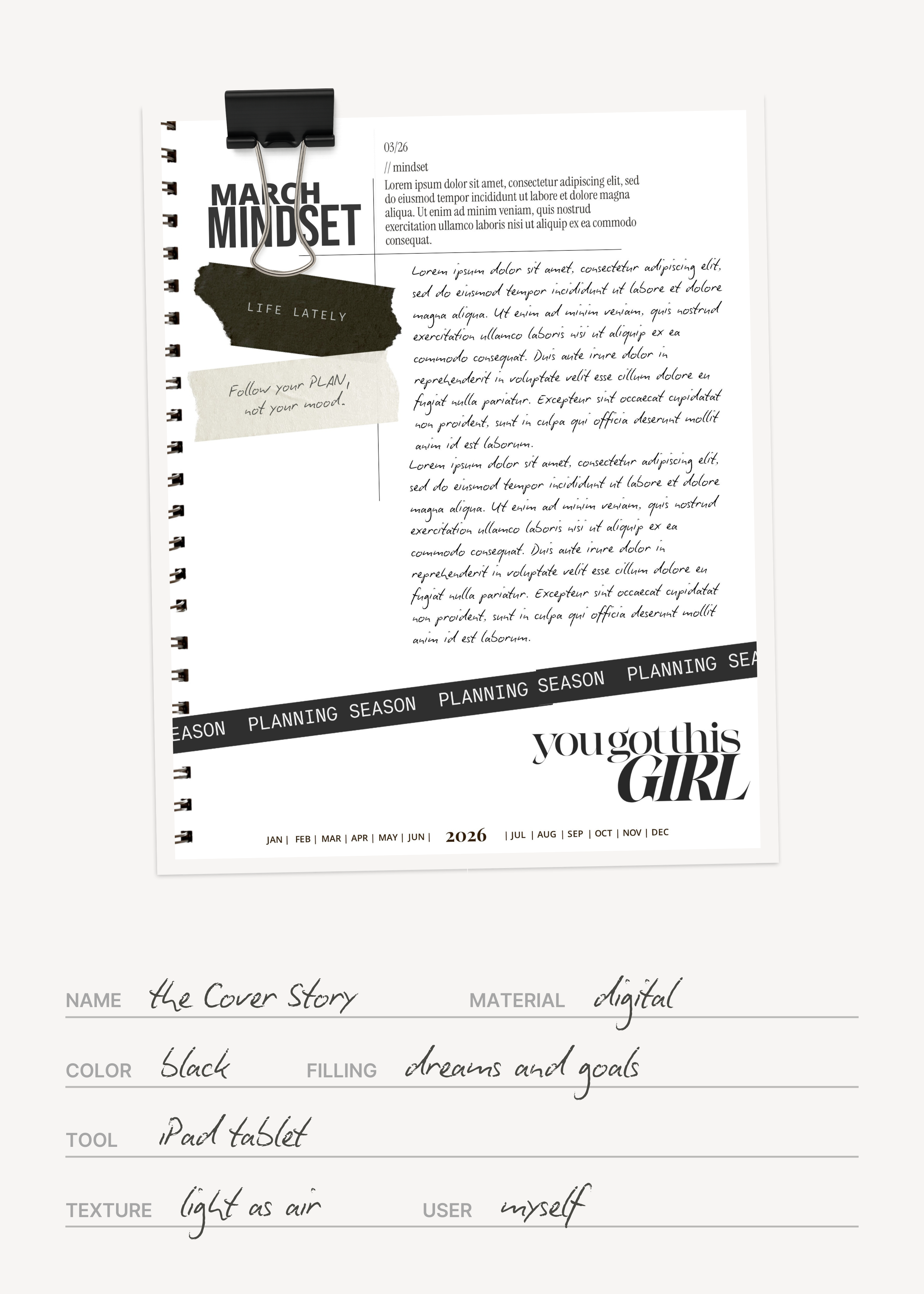
When I started designing this planner, I knew one thing immediately: I didn’t want it to feel like a spreadsheet.
Many digital planners are extremely functional, but visually, they can feel crowded—too many boxes, too many tabs, too many systems trying to tell you how to organize your life.
That wasn’t what I wanted to open every morning.
Instead, I approached the design the way a magazine editor approaches a page layout. I focused on balance, generous margins, and a sense of visual calm.
Each page needed to breathe.
Each section needed to have a clear purpose.
The idea was simple: planning should feel like a moment of clarity, not administration.
I’ve noticed more and more professionals, creatives, and busy people gravitating toward this kind of editorial-style planner because it encourages a slower, more intentional way of organizing your day.
Monthly planning that goes beyond a calendar
When I begin a new month, I rarely start by filling in appointments. I start by asking myself a different question: what do I want this month to feel like? That’s why the monthly section of the planner goes beyond a simple calendar. Of course, the month opens with a clear overview so I can see my schedule at a glance. But what really changes the experience are the editorial pages that follow.
Every month includes five reflection pages that I personally use as a kind of reset ritual. There’s a Monthly Recap page where I reflect on what actually happened during the previous weeks—not just what I planned. Then there’s a Highlights page, where I write down the moments that made the month memorable. The Favorite Moments section is where the small things go: conversations, ideas, tiny victories that would otherwise disappear in the rush of daily life. After that comes the Monthly Mindset, which helps me shift my perspective and set the tone for the weeks ahead. And finally, there’s the Vision Board page, where I collect the images, words, or ideas that represent what I’m building toward. Over time, these pages start to feel less like planning tools and more like a quiet archive of the year.
The familiar feel of paper—with digital advantages
Even though this planner lives on a screen, I wanted it to preserve something I still love about paper planners: the rhythm of writing by hand.
That’s why the pages include 5mm writing rows, very similar to what you’d find in a traditional agenda. Writing across the page feels natural, especially when using a stylus or tablet.
The difference is that digital planning removes all the usual limitations of paper.
There’s no messy erasing. No running out of space. And no carrying multiple notebooks.
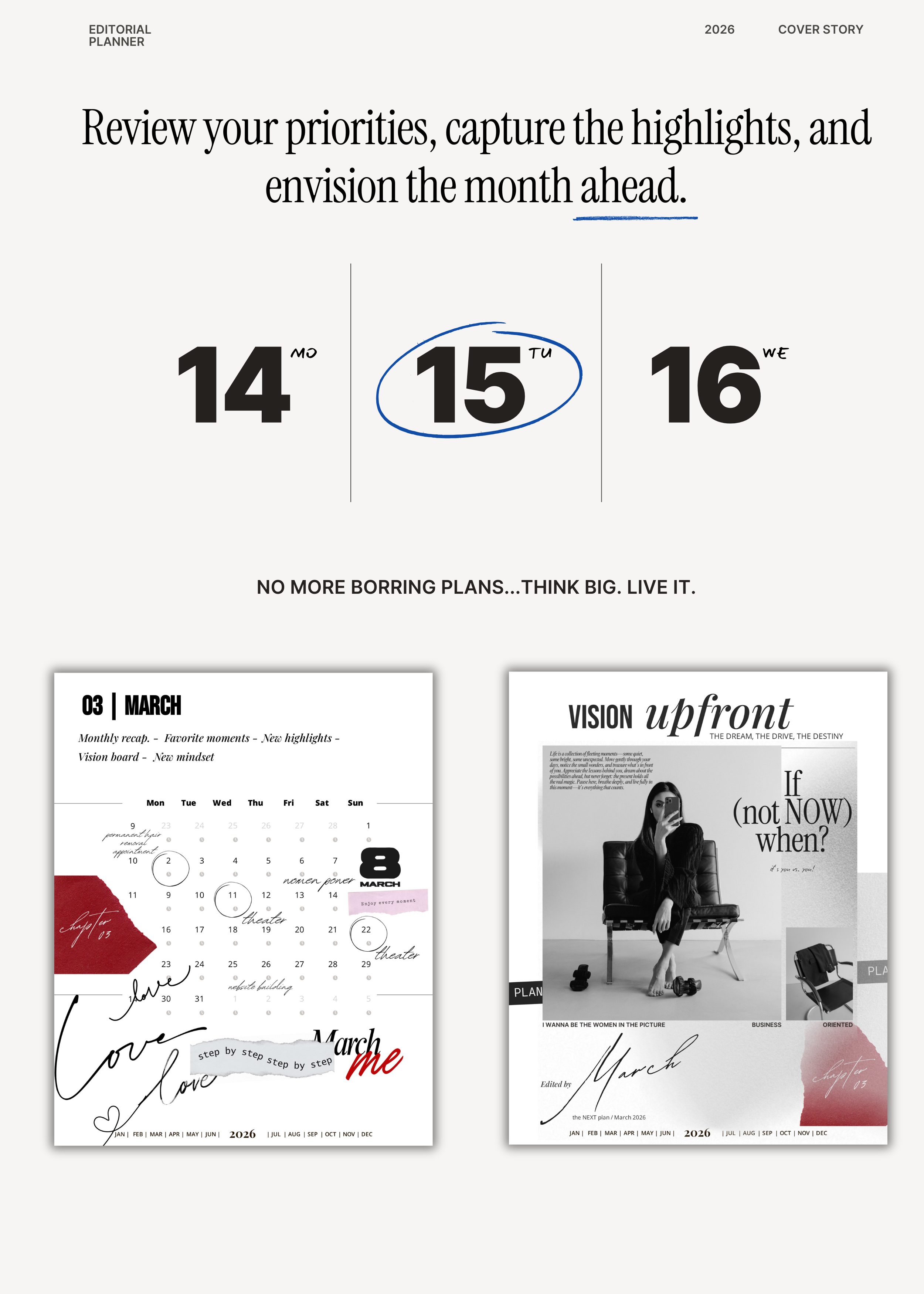
Because everything inside the planner is connected with hyperlinks, moving between months, weeks, and daily pages takes just a second. Instead of flipping through pages, you simply tap and move.
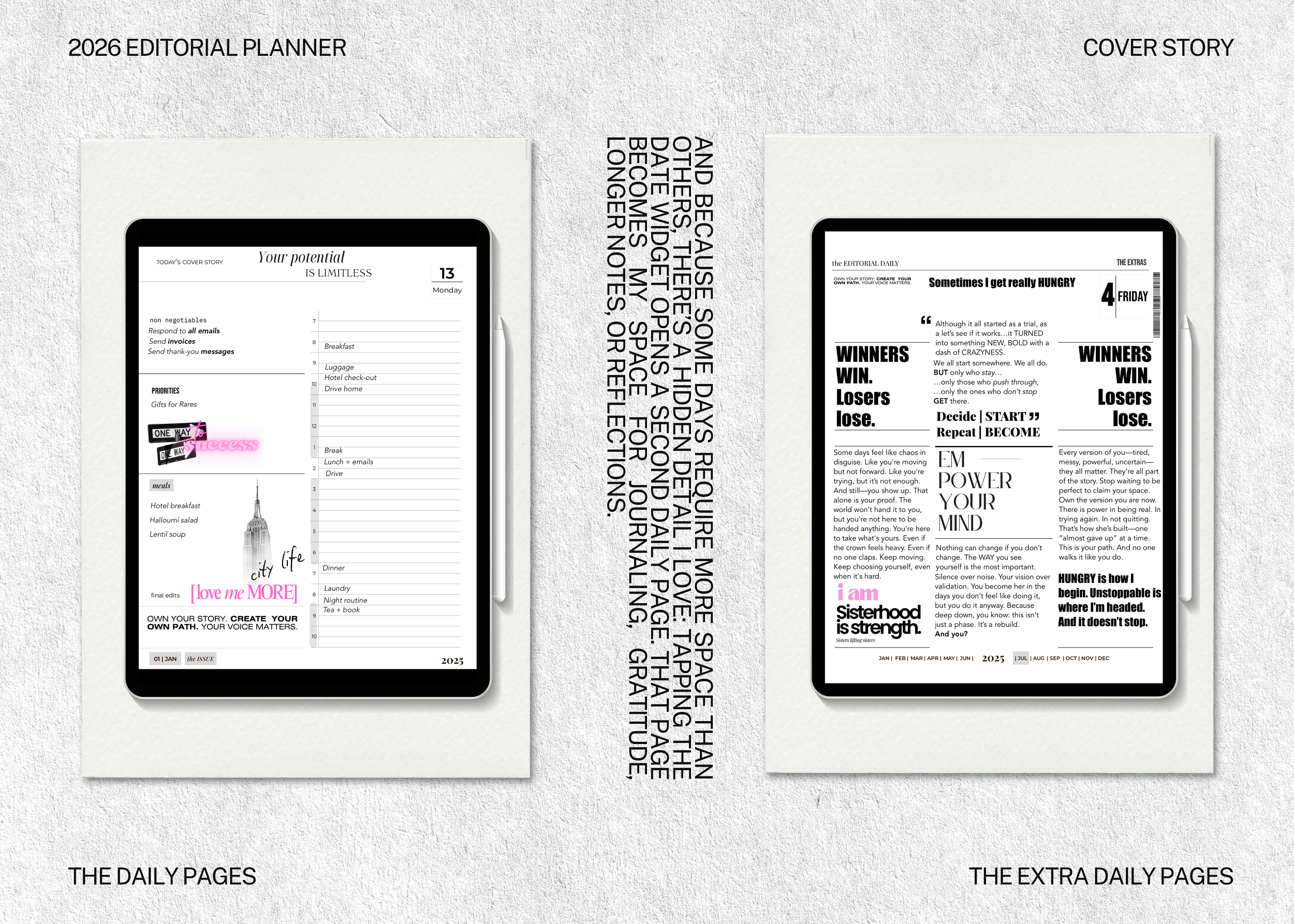
Daily pages designed for focus and flow
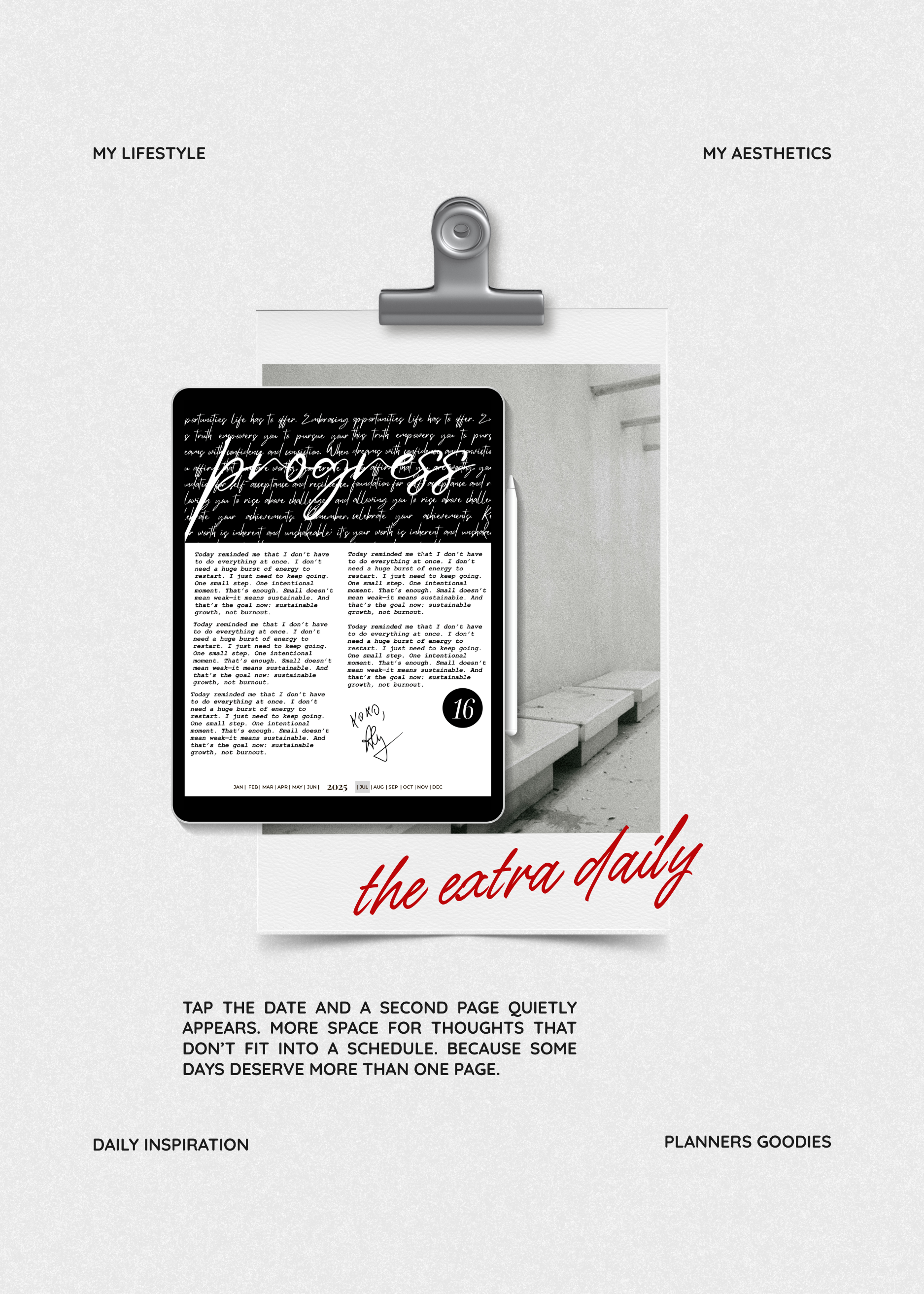
When one page isn’t enough: extra daily pages for thoughts that deserve more space
If there’s one thing I’ve learned about daily planning, it’s that the moment a page becomes too complicated, I stop using it.
So the daily pages revolve around a simple idea: focus on what matters most.
At the top of each page, there’s a Non-Negotiable section. That’s where I write the one task that absolutely needs to happen that day. Not ten things. Just the one that moves everything forward. Next to that is the hourly schedule, which gives enough structure for meetings, work blocks, or personal time without making the day feel rigid.
I also added a feature I personally rely on: the meals section, which links directly to editable recipe cards. Over time, I simply duplicate the cards and build a personal digital recipe collection inside the planner.
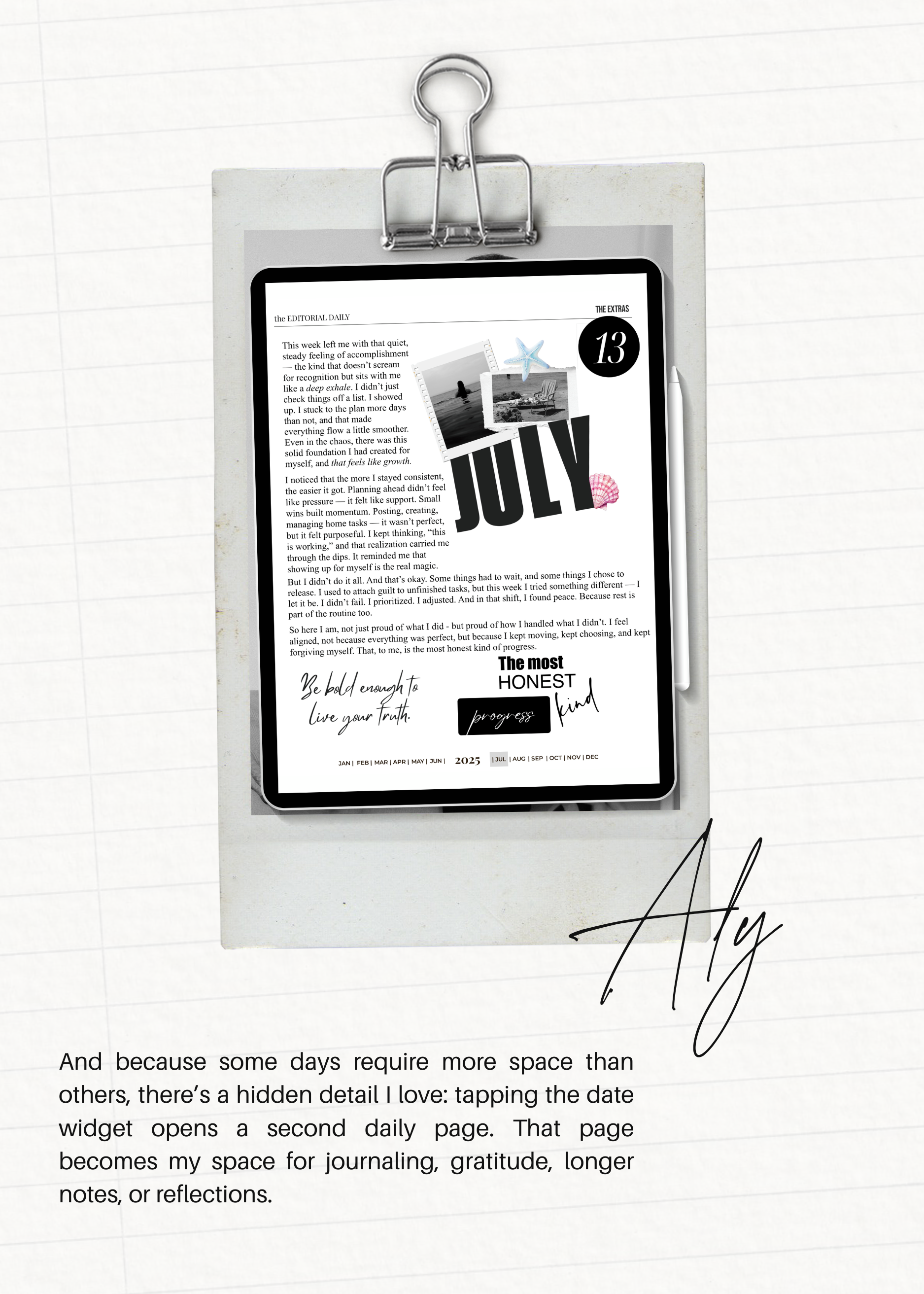
And because some days require more space than others, there’s a hidden detail I love: tapping the date widget opens a second daily page - the EXTRA DAILY. That page becomes my space for journaling, gratitude, longer notes, or reflections.
It’s like discovering extra pages exactly when you need them.
A planner that works with your existing calendar
One of the things I appreciate most about digital planning is how easily it fits into the tools I already use every day. The planner can integrate with both Google Calendar and Apple Calendar, which means appointments, meetings, and events stay aligned across devices. Rather than replacing digital calendars, the planner becomes the place where everything comes together—your schedule, your priorities, your notes, and your ideas. So when you click on the hours from the daily page, or the external calendar icon from the monthly calendar page, your Google or Apple calendar and reminder will open, and you can copy and paste your appointments directly from your planner. Yes, GIRL, I got you!
NEED NOTES?see you in the next blog post.
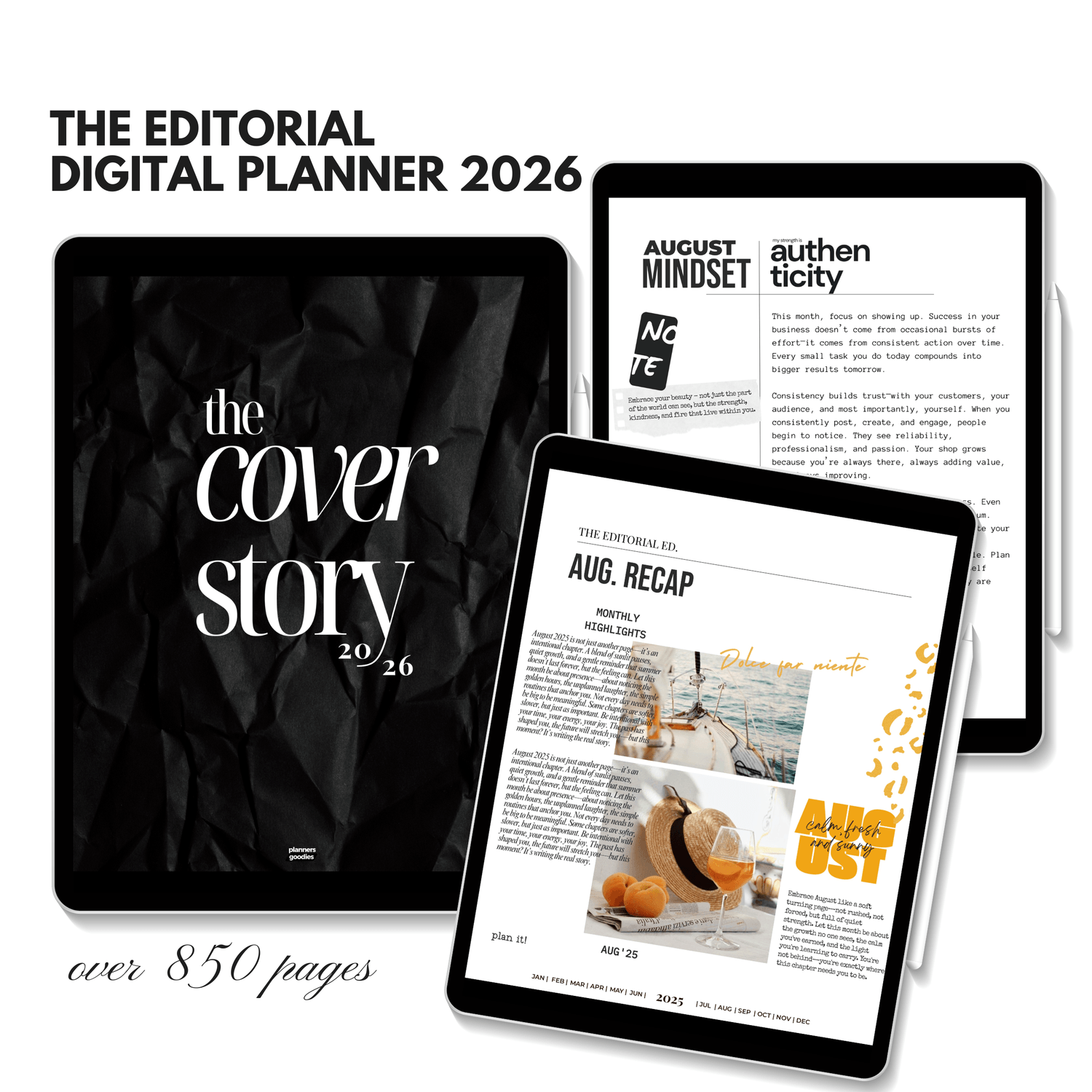
2026 Premium Editorial Digital Planner – ADHD-Friendly, Daily & Dated, Monday–Sunday
Set your goals for the month.
Create your vision board.
Define your priorities with intention.
Cross off what no longer serves you.
And plan your months and weeks with clarity.
Plan. Focus. Structure. Intention. A space for minimalist digital planning and beautifully organized living.